


Archive for the ‘wine’ Category

WineBottler & Wine 1.1.31 [.2]

Saturday, October 10th, 2009

Things are moving and they’re looking more stable now. I’m still not entirely happy with the Wine.app building process, but things should run. It’s a vanilla build from the sources from winehq.org with no patches.
WineBottler has received some updates, too. Thank You very much for all the constructive feedback. More is in the Pipepline.
www.kronenberg.org/wine

I’ve set up svn and trac for WineButtler now. This is only for WineBottler and the launching program (WineStatus) used in the Wine.app package. For everything related to Wine itself, please refer to the winehq. So if you find bugs or have proposals for enhancements, just register and submit a ticket.
winebottler.kronenberg.org/trac

We’re coming along, but again I hiss the red alpha flag.
Enjoy & keep the feedback flowing
Mike

[update]
Changed faulty bottler.sh script from wine.app
Ahhh, yes…. if you install ie7… DON’T install the update, when asked.

Wine & WineBottler 1.1.29.2 [link fixed]

Monday, October 5th, 2009

So,
here we go with the results of the (slightly prolonged) weekend of coding :) . But because of the split of Wine and WineBottler I had to generate some more code. I hope by creating a clean lean Wine bundle, people that use that bundle will get support from winehq.org again (for the records: this is a vanilla build of wine, just a separate starter app, to handle OS X stuff and updates).
I have to apologize, the new tutorial did not make it yet. Glen, you are most welcome to help with the documentation or help files :D

Get your copy at www.kronenberg.org/wine.

What is new in Wine?

  • Sparkle update (Wine.app will update itself for future releases)

What is fixed in Wine

  • loads of library links
  • “Taskmanager”

What is new in WineBottler

  • new looks
  • you can create selfcontained apps (apps that have Wine directly integrated, for distribution)
  • custom prefixes do support localized “Program Files”
  • automatically convert the windows icon for your app
  • statusmessage after creating a prefix (good, aborted, error)
  • search for prefix, predefined and winetricks

What is fixed in WineBottler

  • Sparkle Signature
  • Show Wine Log
  • better working exit codes
  • normal window level
  • ie6 template updated to include flash
  • ie7 template updated to include flash

Again – this is alpha :D
Enjoy!
Mike

BTW.
No update to Wine 1.1.30 as it was not working properly for me.

Separate “WineStatus” from WineBottler?

Friday, October 2nd, 2009

There are some questions that bother me right now.
Mainly – should I separate the statusbar item from WineBottler and put it into a separate app (maybe include it in the wine binary)?

This way, the WineBottler would act as a normal app, that you specifically call to create/configure wineprefixes. Predefined apps and custom-app-creation would be found here. You can alt-tab to it, windows are at expected level (not floating, like now), etc….

While the WineStatus app would help with tasks closer related to the currently running wine instance(s), like start cfg/filemgr/winetricks or force-quit a task. I think the current prefix manager would be situated in this one, as it mainly helps to choose, in which prefix the tool should be executed.

Other things to consider:

I want a clean Wine.bundle (maybe Wine.app).
Now I have a startup-script that replaces the wine executable to handle with OS X custom behavior. Instead I’d like to have a cocoawine binary alongside the genuine wine binary that handles OS X bundle/Statusbar related things, like auto-starting with exes, bats, lnks and msis. The clean and separate Wine.bundle is important to get help from the mother-project, as altered binaries may introduce inconsistent behavior, that will render proper bug-hunting impossible, i.e. no-go.

2 separate bundles, 2 separate downloads, 2 separate updates?
I might offer a separate Wine.bundle/app download and a WineBottler.app download. This way, I can update the two independently. But what about the initial install? I think users can handle to install two apps separately, as it was with the ies4osx/darwine combo.

Any thoughts?
Mike

Wine 1.1.29

Wednesday, September 16th, 2009

If you want a stable release, please stay with 1.0.1

http://www.kronenberg.org/wine

For Intel Macs with Tiger, Leopard or Snow Leopard.
Comes with all needed libraries, bins and WineBottler.

This is a test for my new Wine building environment/setup.

  • The package is called Wine now (instead of Darwine).

  • All Wine licenses are changed to lgpl.
  • No custom patches, except the 100% CPU bugfix.
  • Loads of dependencies where updated.
  • Added WineBottler as default alternative for WineHelper (WineHelper still ships with this version).

Small updates for WineBottler.

  • WineBottleStarter now supports custom apps which contain a wine.bundle (for fully self-contained windows apps).
  • updated ie7 template
  • added ie8 template (not working yet)

/me waves big red ALPHA-flag, stay away, if You don’t know what you’re doing :D

enjoy

… vive le roi!

Friday, May 29th, 2009

As mentioned below, I’m not going to provide kind of two unstable binaries of wine :) . For now, I’ll push the WineBottler path… it includes the same Wine as Darwine did.

So whats new? (just the biggest)

  • partial Tiger support (need feedback on this)
  • drag’n'drop support to drop files onto bottles
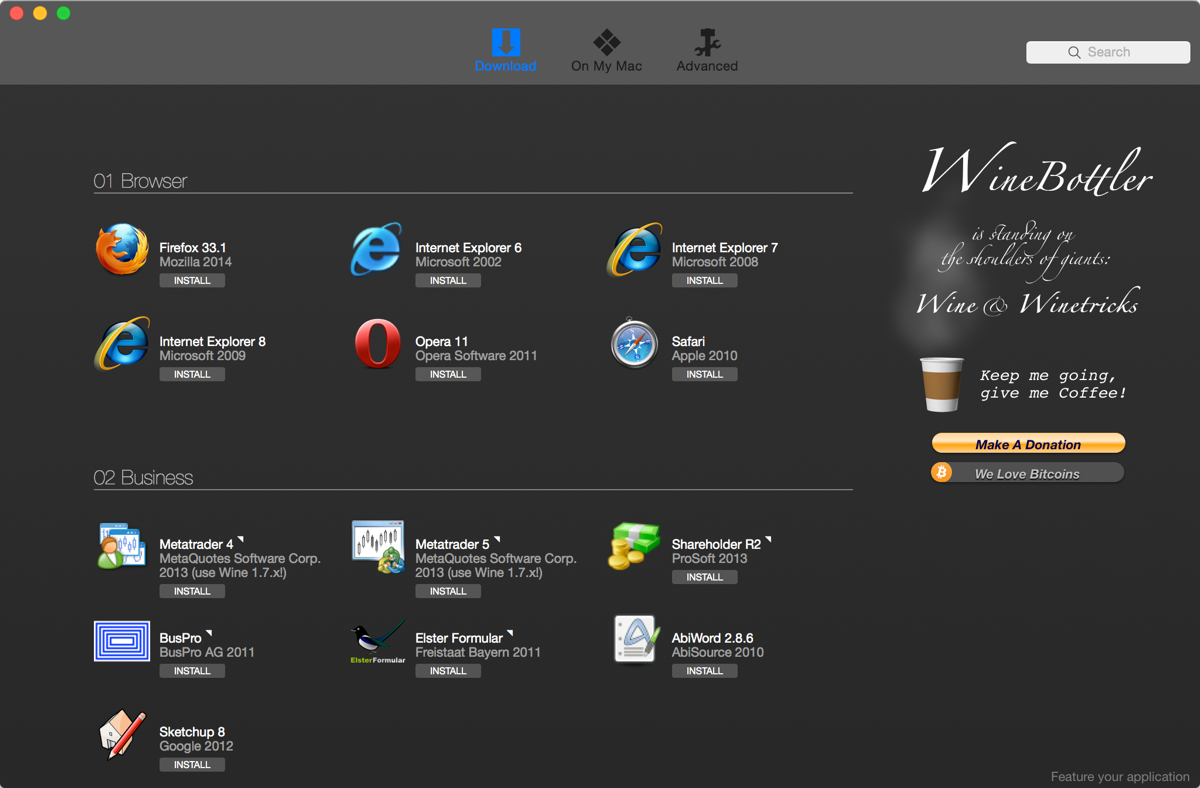
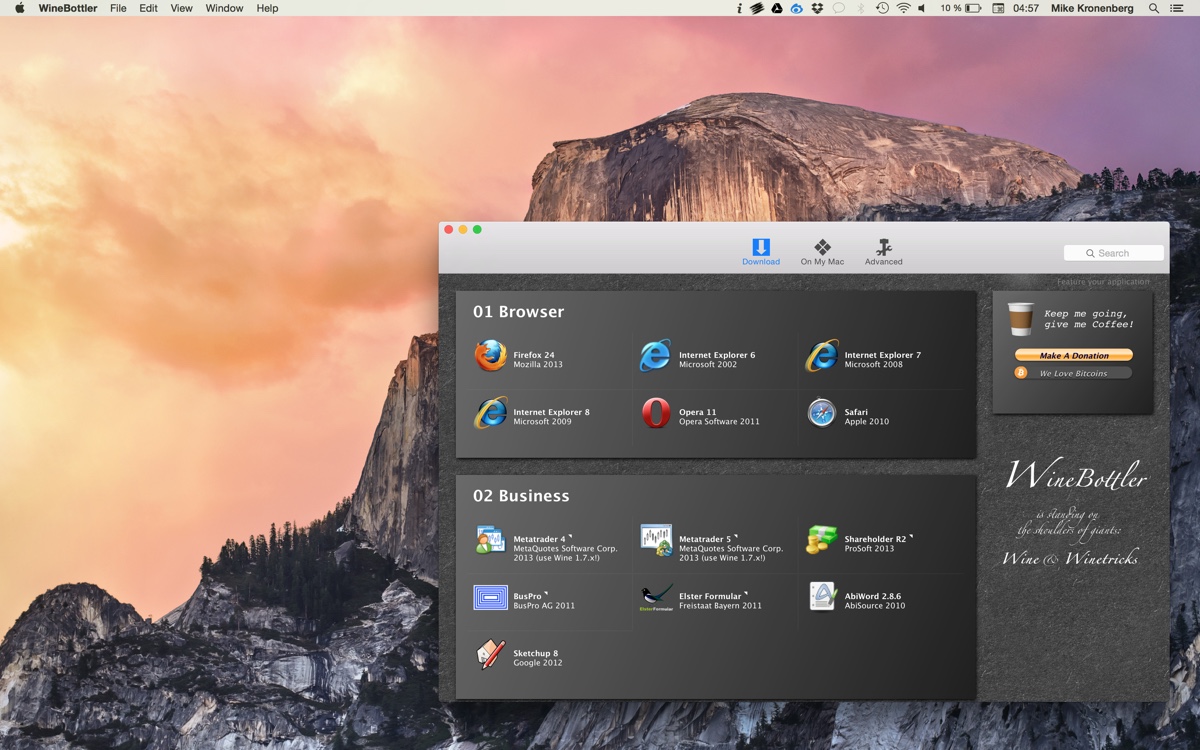
  • new controlcenter for prefixes, predefined, custom and preferences
  • custom bottles can be built from templates (i.e. any other prefix)
  • see all wine processes that are currently alive
  • gorgeous icons from Andy, txs!

Still unstable, sharking and testing for leaks now.
WineBottler_1.1.22.zip

enjoy!
PS. SVN and TRAC are ready… sources and ticketing will follow soon.

PSS. Just forget one other major feature: a GUI for winetricks. It always works with the current winetricks and can be applied to any prefix. The option to create custom prefixes makes use of it, too.

Le roi est mort …

Friday, May 29th, 2009

As some might have read on Wine-Devel, Darwine is dead for good :) . The OS X port of Wine formerly known as Darwine is now Wine.

What does this change? There will be no more “Darwine” packages from me.
It would be a simple thing to rename the package to “Wine”. But there are more things to consider. Winehelper, the starter App from Darwine is really dead, this is why I’m developping a new one called WineBottler.

For simpleness sake, I’d love to call the new package Wine, but it does not give justice to the fact, that it’s a none Wineproject wrapper around the Wine package. Nor gives it justice to the other wine derivates like crossover or bordeaux.

So the next “Wine” Release from me will be inside “WineBottler”. Maybe if we can make WineBotter really good, it could be accepted as part of Wine like the old winehelper, which would do away with the troubles of having another name for the same ;) .

Mainly because of Macish simplicity I’d love to only have one Package which can be autoupdated. Distributing the bottler alongside a wine bundle like now could be another solution.

Like to hear your thoughts about it. Going to consult the list, too.

Winehelper Replacement: New Bottlelauncher

Sunday, May 17th, 2009

I’ve replaced the startup script of the Bottler with a cocoa app. This way I have more control over the wrapped app. Right now it supports the following things:

  • Drag’n'Drop of file(s) on the Bottle
  • the prefix of the bottle is copied to “~/Application Support/wine/prefixes” the first time it is run. This way we don’t get into troubles with writing privileges in “/Applications”. The prefixes can easily deleted from the prefix manager.
  • the Bottle stays in the Dock once launched (allows selecting of the app)
  • fast App switching to the Bottle (cmd-tab)
  • fast App switching & termination of the Bottle (cmd-tab, cmd-q)

Lots of small improvements to the app like

  • predefined apps sit in a .plist now, that could be maintained and hosted on the internet for rapid updates (again a shout for the appdb to offer an interface for wine front-ends)
  • new Bottler window (we’re still not there, but better :) )
  • Sparkle works from this version on (i.e. autoupdate of wine) you can manually see the rss entries of the sparkle appcast here: http://www.kronenberg.org/wine/appcast.php

My mind is on:

  • Status menu: Better support to display and terminate all exe’s running (ps aux | grep .exe)
  • replace the overlay displayed while prefix creation with the “action window” from the bottler
  • finer grained feedback in the “action window”
  • visual feedback when bottles are started to assure people that something is happening
  • is there .otf font support in wine?

Long talk, here is the file: WineBottler_1.1.21.zip, and again, this is deepest dev work:

  • it has loads of errors
  • hide all previous Winehelper.app, Wine.app and WineBottler.app.
  • bottles created with earyer versions are probably not going to work with this.

enjoy.
Mike

PS.
If You really need “Internet Explorer 7.0″ You could give this build a try. “Internet Explorer 6.0″ is not working atm.

Darwine 1.1.21

Thursday, May 14th, 2009

If you want a stable release, please stay with 1.0.1

http://www.kronenberg.org/darwine/

For Intel Macs with Tiger or Leopard.
Comes with all needed libraries, bins and TRiX.

enjoy

Winehelper Replacement

Tuesday, April 28th, 2009

put-up or shut-up :D

I had my troubles with winehelper lately. And I had my own ideas of what a wine wrapper could look like on OS X :) . So I made my little list. I did a rather quick (and dirty) programming of it to test the features and gain some look and touch experience of the different features I would like in a wrapper app for wine.

I’d like to give the cracks out there a testride on it. IF YOU JUST NEED WINE, STAY FAR AWAY FROM IT! It’ still VERY buggy.

What are the main changes/features?

  • the app sits in the status bar
  • support for .app bottles (windows applications & prefix wrapped inside an .app)
  • easy managing of different prefixes (searched by spotlight)
  • fast access to winefile, regedit, winecfg inside every prefix
  • sparcle updates
  • support for .bat files
  • no unnecessary windows on screen
  • mac specific registry entries (coreaudio, antialiasing, symlinking of OS X fonts)

Wine_1_1_20.zip

Here is the current state of things:

1
2
3
4
5
6
7
8
9
10
11
12
13
14
15
16
17
18
19
20
21
22
23
24
25
26
27
28
29
30
31
32
33
34
35
36
37
38
39
40
41
42
43
44
45
46
47
48
49
50
51
52
53
54
55
56
57
58
59
60
61
62
63
64
65
66
67
68
69
70
71
72
73
74
75
76
77
78
79
80
81
82
83
84
85
86
87
88
********************************************************************************
Implemented features
 
- StatusMenu
	- Icon
	- current prefix
		- start WineFile
		- start RegEdit
		- start WineCfg
		- show winetricks
	- running exes
		- show name of exes
		- kill running exes
	- options
		- show Prefix Manager
		- show Bottler
		- show Preferences..
		- show Wine.log
	- show Quit Dialog
 
- Task
	- start exe
	- enable Wine.log
 
- Prefix Manager
	- remember on or offscreen at start
	- stay on top of all windows
	- check for obsolete prefixes
	- search with Spotlight
		- for system.reg in visible folders
		- for selfcontained .app prefixes
		- reload button for search
	- search for ~/.wine prefix
	- create new prefixes
		- show overlay during creation of new prefix
		- add registry entries for coreaudio and antialiasing
		- add an icon
	- remove prefixes
	- show prefixes in the Finder
 
- Winetricks
 
- Bottler
	- create predefined apps
		- predefined apps
			- Internet Explorer 6.0
			- Internet Explorer 7.0
			- Filzip 3.06
		- standart apps
		- apps with custom script
	- create custom apps
		- select install file
		- select exe to execute
	- create Log if installation fails
 
- Preferences
	- remember on or offscreen at start
	- stay on top of all windows
	- enable/disable Wine.log
	- enable/disable Automatic updates with Sparcle
 
- Quit Dialog
	- custom dialog window on top off all other windows
	- kill all instances of wine


********************************************************************************
TODO
- MainMenu
	- Icons for Files
		- .exe
		- .msi
		- .bat
		- .Lnk
 
- Winetricks
	- visual Winetricks
		- simple selfbuilding gui generated from winetricks
	- set winetricks_cache to application support
 
- Bottler
	- predefined apps
		- add icon
	- create custom apps
		- visual winetricks
		- add icon

enjoy

Mike

PS.
Internet Explorer 7 worked better with 1.1.19.

[update]
Workaround for installing IE7: Select “no updates” in the IE7 installer and manually copy the generated .app when ask by the IE7 installer if you would like to restart now. The IE7 installer will throw an error the moment you click that button, which triggers the wine bottler to remove the app. But the copied .app is functional. Enjoy.

[update 2]
If You try to create a custom bottle with the bottler, remove all spaces from the installers name. (txs ViRGE)

Darwine 1.1.18

Saturday, March 28th, 2009

Uh, lot o’ dust in here!

If you want a stable release, please stay with 1.0.1

http://www.kronenberg.org/darwine/

For Intel Macs with Tiger or Leopard

comes with all needed libraries, bins and TRiX

As we had some updates during the last months: built against

enjoy